
The Effects of Incorrect Content Information on Search Results, Recommendations, and Episode Order
When browsing major digital comic and VOD platforms in Korea like Naver Webtoon, KakaoPage, TVING, or Wavve, readers expect a smooth content discovery experience. However, encountering an incorrect episode title, a mislabeled summary, or mismatched genre tags can quickly ruin your reading flow.
You might search for a specific thriller plot point only to be directed to an unrelated comedic chapter, or open a webtoon series only to find Episode 5 placed before Episode 1. Worse yet, spending your paid coins (쿠키/캐시) on out-of-order episodes can expose you to major story spoilers before you even understand the plot.
This guide explains how inaccurate metadata tricks search engines and AI recommendation systems, and provides practical tips to verify episode listings before spending money.
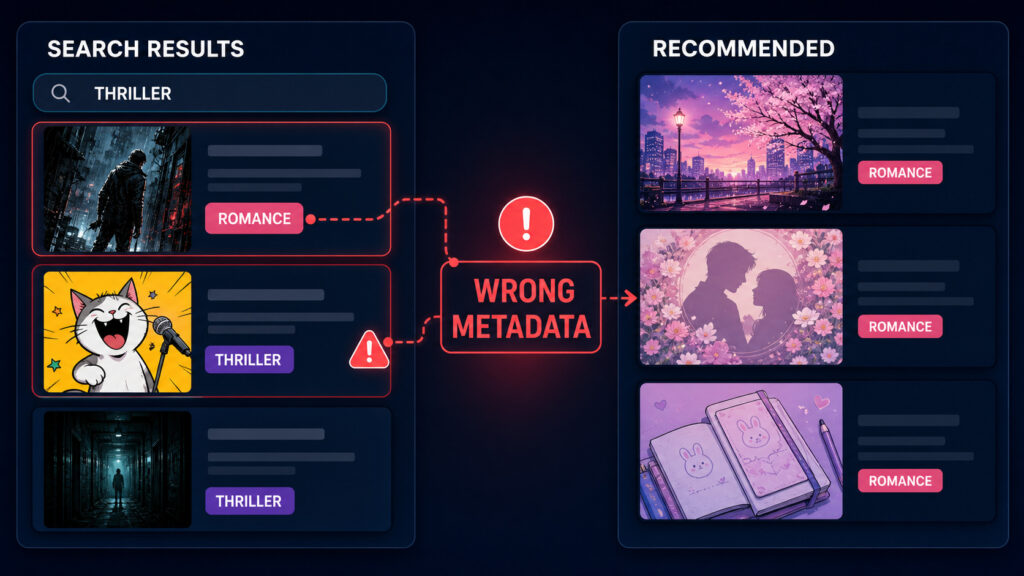
Platform search bars and recommendation algorithms rely heavily on text metadata to organize libraries. When that metadata contains errors, both search indexing and content discovery fail.
Search bar indexing failures
When you search for a specific character event or scene inside a webtoon app, the search engine scans episode summaries and titles. If an editor accidentally swaps the descriptions of adjacent episodes, entering a character’s name will direct you to the wrong chapter. This reduces search accuracy and forces readers to waste time clicking through multiple chapters.
AI recommendation suppression
Recommendation engines, such as Naver Webtoon’s AI algorithm (AI 추천), analyze genre tags alongside reader completion rates. If an action-thriller webtoon is mistakenly tagged as a romance story, the AI will push the series to romance fans.
When romance readers open the comic, they quickly realize it does not match their taste, leading to high early drop-off rates (중도 포기) and low rating scores (별점 테러). The AI algorithm interprets these early drop-offs as a sign of poor content quality, ultimately suppressing the webtoon from being recommended to genuine action fans.
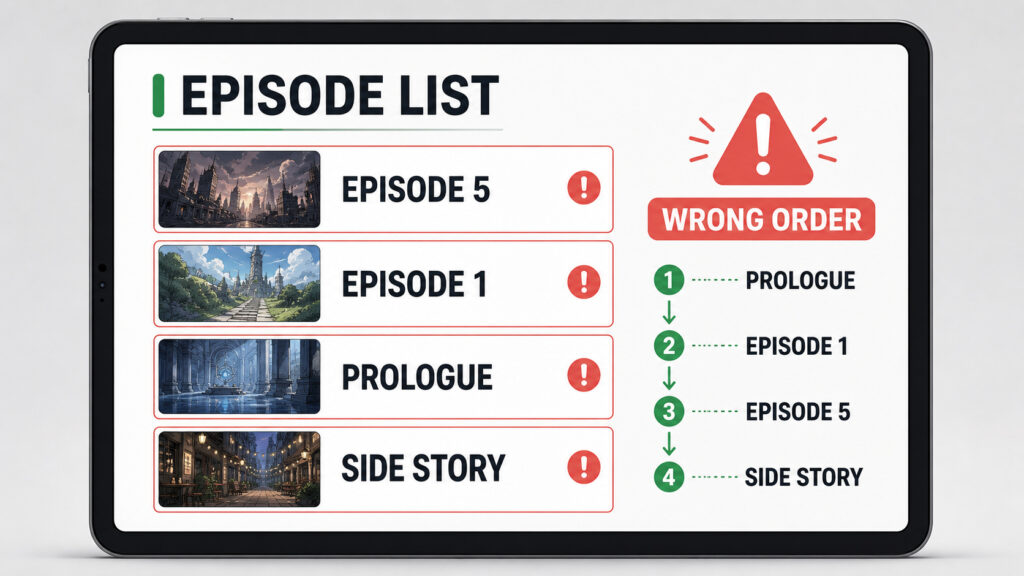
Why episode order errors happen on webtoons and how they break the story
Episode numbering glitches disrupt the narrative pacing intended by the author. Understanding why these errors occur can help you spot them before reading.
Platform migrations and side story placement bugs
Episode order errors frequently happen when content is migrated between platforms (such as transitioning from Daum Webtoon to Kakao Webtoon) or when web serializations (연재판) are reformatted into volume releases (단행본판).
During these technical migrations, special prologues, author notes, or side stories (외전) are sometimes inserted at the top of the episode list instead of after the main story, shifting the entire numbering sequence by one or two chapters.
How reading out of order leads to spoilers
Starting a webtoon on a mislabeled or swapped episode ruins the reading experience. Opening a chapter out of sequence can instantly reveal character deaths, villain identities, or major plot twists. Once a key plot twist is spoiled, the emotional impact of the earlier build-up chapters is permanently lost.
How to check webtoon metadata before spending coins
Before spending your paid coins (쿠키/캐시) on a new webtoon or VOD series, take a few seconds to audit the episode list using these practical steps.
Verify Prologue and Chapter 1 placement
When opening a new series page, scroll down to the bottom of the episode list. Confirm that the very first entry is labeled as “Prologue” or “Chapter 1” rather than a mislabeled side story (외전) or promotional special.
Read top comments for warning notices
The fastest way to spot an episode order glitch is to check the comment section on Chapter 1. In Korea, active webtoon communities frequently leave warning notices in the top comments (베댓 – 베스트 댓글) if adjacent episodes are swapped or missing. If you see top comments warning about a numbering bug, pause reading until the publisher issues a fix.
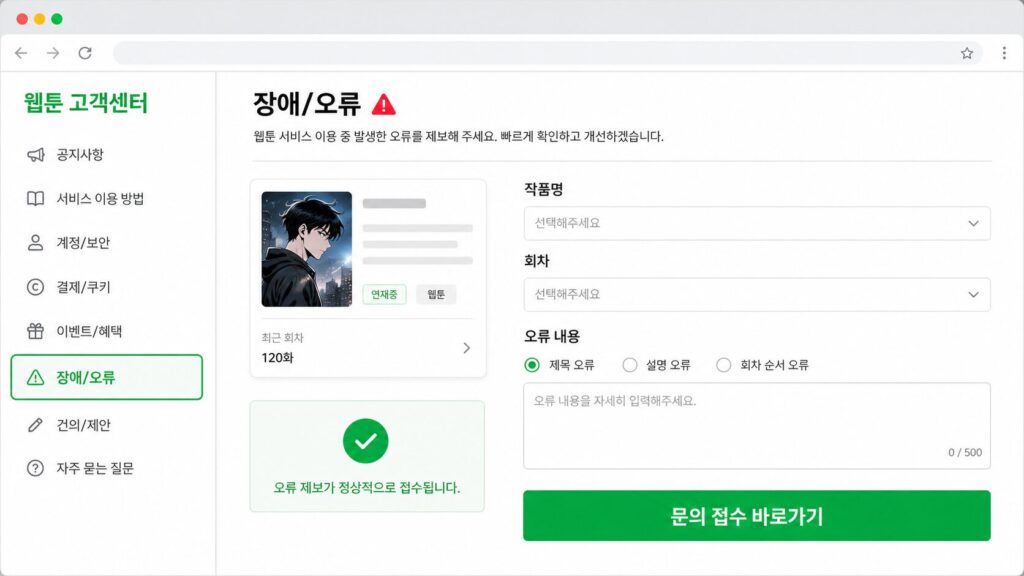
Frequently asked questions about reporting webtoon and VOD errors
Here are quick solutions for dealing with content metadata errors on digital comic and video platforms:
How do I report a wrong episode title or description on a webtoon app?
Look for the 1:1 inquiry button (1:1 오류 신고) on the series detail page or inside the app’s customer support settings menu. Submit the series name, the affected episode number, and a brief description of the text error so editors can re-index the chapter.
Can readers directly edit incorrect genre tags?
No, readers cannot edit platform metadata directly. However, submitting a feedback report via the 1:1 customer center alerts content managers to review and update the tags, which recalibrates the AI recommendation algorithm over time.
What should I do if episodes are listed out of order and no official list exists?
Stop reading immediately to avoid story spoilers. Check the author’s official social media account, Naver Blog, or community fan wikis where readers maintain verified episode reading guides until the platform corrects the official sequence.